Hello. This is the Wadiz App Development Team.
The Wadiz App Development Team has adopted a mocking approach to improve development productivity. Today, we’d like to explain this in more detail.
Background
In most cases ,the development process proceeds as follows : requirements and planning → backend development → app development.

Therefore, if requirements continue to change, this will significantly impact the development timelines for both the backend and the app. App development, in particular, is heavily influenced by the backend development schedule, and constantly waiting for the backend to be ready makes it difficult to make quick decisions—simply because it takes so much time.
“Isn’t there a more flexible way to develop this?”
After much consideration, I decided to implement a mocking systemto minimize the impact on backend API development time. I expected this to save us asignificant amount of time. Underthe previous approach, app developers had to define API specifications in consultation with backend developers and then wait a long time for the backend developers to set up the mock data.
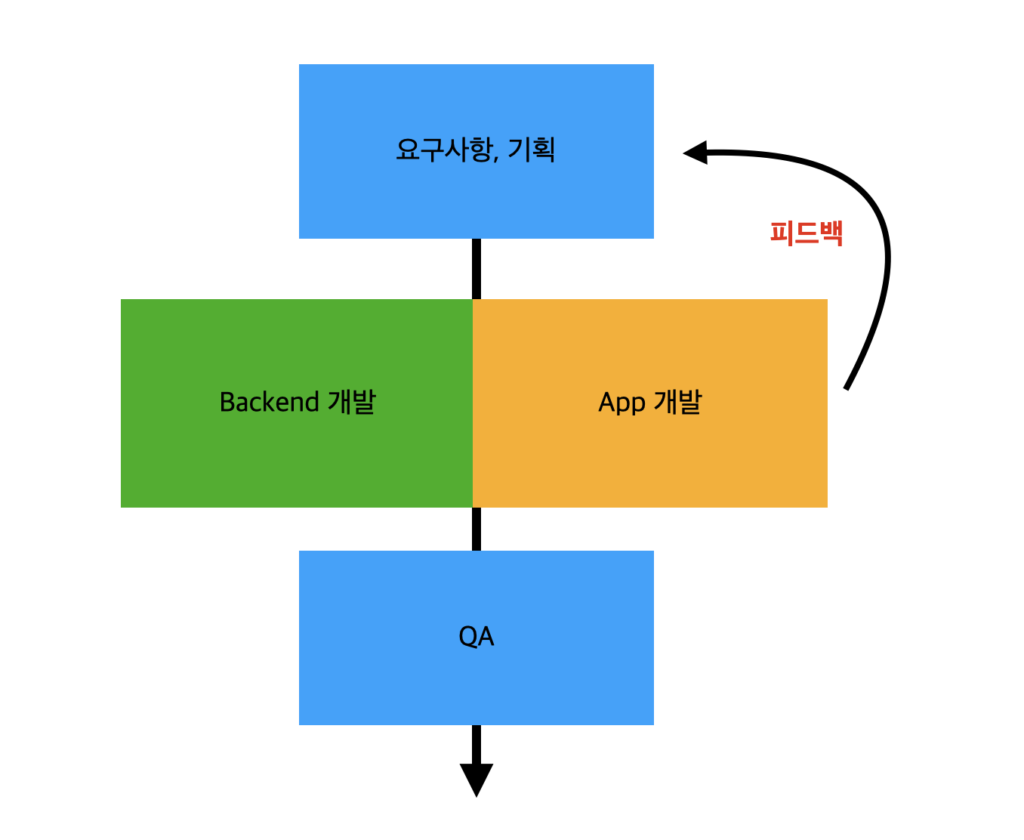
When implementing a mocking system, backend development and app development proceed in parallel.
Implementing a Mocking System
Planning Stage
We introduced the Mocking System during the major redesign carried out in the second half of 2022. We created aquick prototyperight from the planning stage to see how it worked. We reviewed it with our team members and received specific feedback, which allowed us to make decisions quickly.
Development stage
Backend developers no longer had to spend extra time setting up mock data. App developers could define mock data and API specifications based on the established API specs to test various scenarios. It also became possible to define errors programmatically. As a result, they could handle errors without having to request them separately from backend developers. With the introduction of the mocking system, backend and app development could proceed in parallel.
Which mocking system did you use?
The app development team used OHHTTPStubs (iOS) as their mocking system.
OHHTTPStubs
OHHTTPStubs is a library designed to make it easy to create stubs for network requests.
- You can configure the response to a specific request to use sample network data (such as JSON files or Swift's `Data` type).
- You can test various network conditions.
- You can develop the logic for handling network requests and responses in advance without relying on APIs.
- It is compatible with NSURLSession or libraries that wrap it.
- When the OHHTTPStubs library is loaded into memory, a singleton object named HTTPStubs is automatically loaded into memory.
- When you call an API using URLSession, HTTPStubs intercepts the request by swizzling the request method.
- It matches the intercepted URLRequest data with a registered stub and passes the predefined response to the URLSession.

Implementation Example
When you call a stub function as shown below, that stub is registered with an instance of the HTTPStubs singleton object. Subsequently, when you send a request via URLSession—just as you would with a standard network request—the registered stub’s condition block determines whether the request is one that should be replaced with the stub. If so, HTTPStubs intercepts the request and returns a pre-written response. At this point, you can specify whether the request succeeded or failed, as well as the latency. You can also specify various network environments, such as 3G or Wi-Fi.
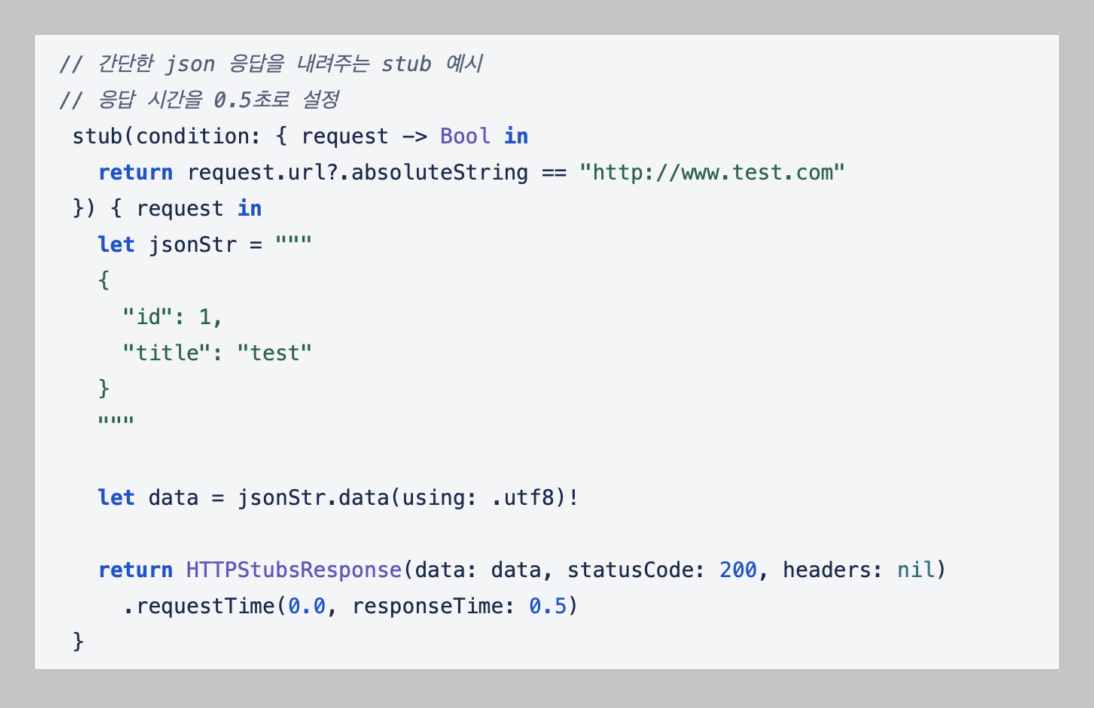
As shown in the code above, you can implement the block for the condition yourself. Alternatively, you can define the condition by combining the matcher functions provided by OHHTTPStubs.
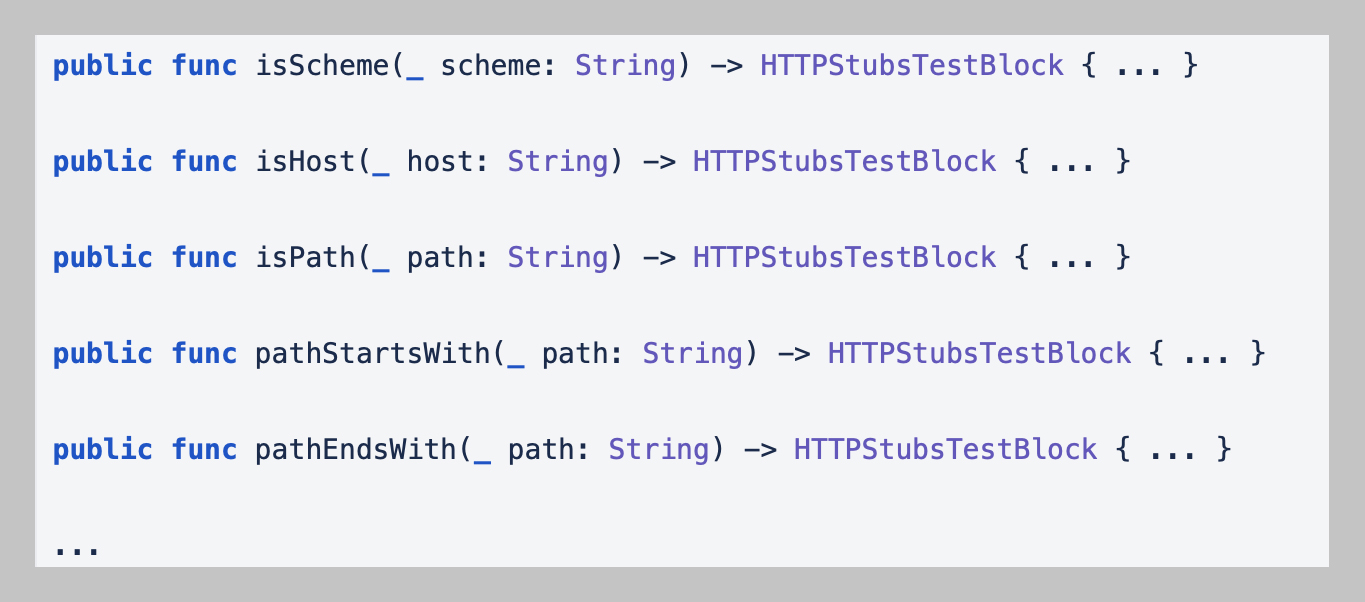
You can modify the response for a request by calling the stub function as shown below.
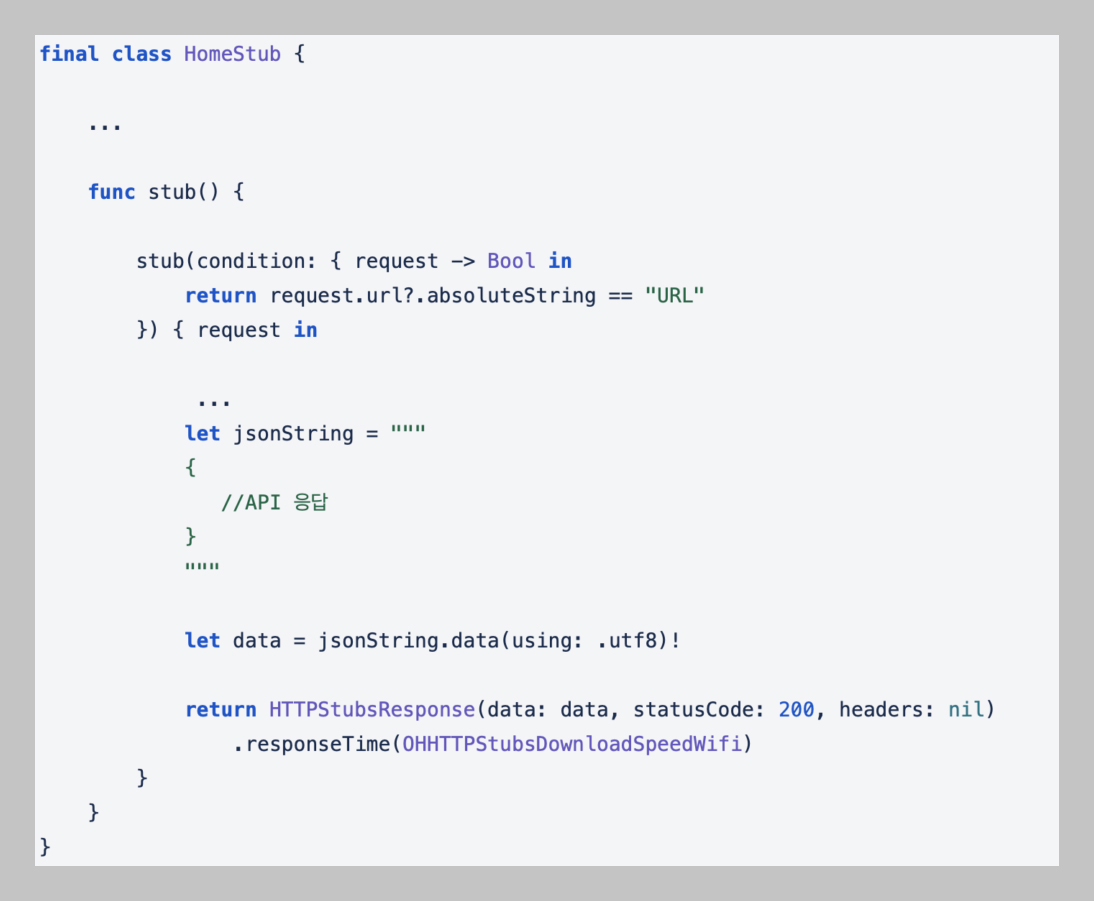
If implemented as described above, development can proceed without any changes to the API calls. This allowed the app developer to test the results by modifying them as needed. In other words, it enabled independent development.
So far, I’ve summarized the process of implementing a mocking system and provided some examples.
I’ll conclude this post by summarizing the benefits of using this system.
- You can preview how new features will be implemented during the planning phase using rapid prototyping. This allows you to make informed decisions based on specific feedback.
- This facilitates parallel collaboration between the backend and frontend teams during the development process, allowing them to work independently. As a result, productivity is improved.
- By explicitly defining errors, you can prepare in advance for potential issues.
Thank you😊
Do you still have questions? 👀
Curious about the app development team’s culture? 👉 Click here
Who’s the star of the Wadiz Praise Relay in the app development team? 👉Click here